
Acrylic laser cutting gives designers considerable flexibility when creating signage, logos, lettering, display elements, name plates, and decorative components. However, the quality of the finished piece depends not only on the cutting process but also on how well the design is prepared for production in Noida and across the Delhi NCR region.
Many problems that appear during fabrication or installation can be traced back to artwork dimensions, unsuitable lettering, incorrect material thickness, or details that were not planned around the final application. Reviewing these key design and production factors before manufacturing helps create components that are more practical to produce, handle, and install.
1. Using Incorrect Artwork Dimensions
One of the most basic design mistakes is preparing artwork without confirming the actual production dimensions. A logo that looks correctly proportioned on a computer screen may not work equally well when enlarged for reception signage or reduced for a small name plate. Very small details can become difficult to fabricate, while proportions designed for a small format may appear different at a larger scale.
Before production, confirm overall width and height, individual letter dimensions, internal cut-out sizes, and required scale relative to the selected material thickness. Artwork should ideally be reviewed at its intended manufacturing size rather than evaluated only visually on a screen.
2. Leaving Duplicate or Overlapping Lines
Clean digital artwork is essential for laser cutting. Duplicate paths, overlapping lines, unnecessary nodes, and open shapes can create complications when a file is prepared for production. These issues are not always obvious when looking at the finished graphic because two identical lines may appear as a single line on screen, but the machine will read them as separate instructions. Designers should inspect the vector file carefully and remove unnecessary or duplicated paths before submission.
3. Making Lettering Too Thin
Thin lettering can look elegant in digital artwork, but the same design may become fragile when converted into a physical acrylic component. Narrow strokes, small connecting sections, and delicate details can be vulnerable during handling, mounting, or installation. The appropriate stroke width depends on the overall letter size, font design, acrylic thickness, and chosen mounting method. Slightly modifying a typeface for production can preserve its visual character while making the finished component more structurally sound.
4. Choosing Acrylic Thickness Based Only on Appearance
Acrylic thickness affects more than visual appearance; it also influences rigidity, weight, handling, mounting, and the structural behaviour of the finished component. A small desk sign, for example, has different requirements from a large wall-mounted logo or a freestanding retail display. Selecting the material specification according to the size and intended use of the component helps avoid unnecessary fabrication and installation complications. Laser Job Services also offers specialized acrylic engraving services when a project requires surface detailing in addition to customized shapes.
5. Ignoring Mounting Requirements During Design
Mounting should not be considered only after the acrylic components have been produced. Designers should determine early whether the finished piece will be fixed directly to a wall, mounted using spacers, attached to a backing panel, or integrated into a frame. Mounting requirements can influence hole positions, edge clearances, component dimensions, and material thickness. Planning these details before cutting makes installation more straightforward.
6. Using Incorrect Letter and Element Spacing
Spacing that looks appropriate in digital artwork may appear different once individual acrylic elements are installed separately. This is particularly important for logos, dimensional lettering, reception signs, and branded wall installations. Utilizing production alignment templates or clearly defined positioning measurements can help maintain the intended relationship between letters and graphic elements during final placement.
7. Forgetting About Viewing Distance
Signage should be designed around where and how it will be viewed. Small lettering or highly intricate details may work well for a display viewed from close range but become difficult to recognize from across a reception area, showroom, retail space, or exhibition stand. Viewing distance should therefore influence letter height, stroke width, spacing, and the overall complexity of the design.
8. Overlooking Background Contrast
The visibility of acrylic signage depends partly on its relationship with the surrounding surface. A transparent, white, dark, or coloured acrylic element may have limited visual impact if the background provides insufficient contrast. Designers should consider the wall colour, backing panel, lighting conditions, surrounding materials, and viewing angle before finalizing the acrylic colour and finish.
9. Planning Cutting Without Considering Finishing
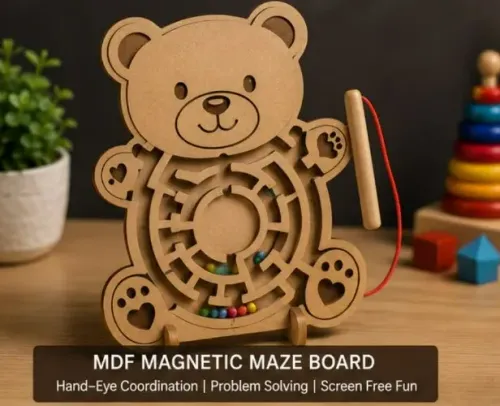
Laser cutting is often only one stage of a larger fabrication process. Acrylic components may subsequently require engraving, surface protection, assembly, mounting, lighting integration, or other finishing work. These later stages should be considered while the artwork is being prepared. For projects combining different materials, MDF cutting services may also be relevant when acrylic components need to work alongside panels or decorative interior elements.
10. Submitting Artwork Before a Final Production Check
Production-ready artwork should be checked systematically before fabrication begins. A final review should confirm clean vector paths, correct dimensions, suitable lettering thickness, correct spacing, and appropriate background contrast. Laser Job Services works with project-specific acrylic fabrication requirements and digital artwork to ensure high production quality.
Keywords